Internal Employee Portal - PWA
- Front-End Development
- Umbraco CMS
- ASP.NET Core
- Razor Pages
- PWA (Progressive Web App)
I was the front-end developer responsible for an internal employee portal at a company where I worked, built as an installable Progressive Web App. The request was for a single access point that would replace the confusion of emails, spreadsheets and shared drives that most companies use to manage day-to-day information. I developed almost the entire front-end alone, working on Umbraco CMS, ASP.NET Core and Razor Pages, with a small number of backend integrations handled by other teams. The whole platform is white-label, which allows each client company to apply its own visual identity while keeping exactly the same modular codebase.
The Problem
Before the portal existed, employees had no central place to find day-to-day information. Colleagues’ contact details were lost in spreadsheets or email signatures, vacations were requested and approved manually, and team documents were scattered across drives with no real organisation. Even the most basic links, such as the insurance provider’s portal, expense templates or brand resources, were scattered. In practice, onboarding someone or looking up a simple contact meant asking colleagues or digging through old mailboxes.
The goal was to design and build a single, mobile-optimised application that brought all of this together in one place. With the intention of turning this investment into a marketable product, the platform had to be easy to customise with each client company’s branding, without requiring a from-scratch build for each one.
The Process
1. Choosing the stack
As a front-end developer, not a backend specialist, I needed to solve two major challenges before I could start building the application: authentication, and an admin interface for managing content and permissions. Building either of these from scratch would have meant standing up a parallel backend project, something unfeasible to take on alone.
Choosing Umbraco CMS solved both problems at once. Its built-in authentication system meant I didn’t have to build the login process from the ground up, while its ready-made backoffice covered content and permission management with no extra development effort. That technical decision is what made it possible for a single front-end developer to carry the whole project through.
2. Brand-driven theming
Since the same codebase serves several client companies, I developed a theming layer that allows each deployment to reflect its own visual identity, from logo and colours to overall tone. All of this happens without needing to duplicate or fork the code, ensuring a genuinely white-label front-end.
3. Role-based access
Each employee’s team and role define exactly what they can see, from which modules are visible to which content applies to them and what management permissions they have. Rather than building a single, static layout for everyone, I implemented conditional rendering driven entirely by each user’s profile.
4. PWA Distribution
The application runs from the browser but installs like a native app on Windows, macOS, Android and iOS.
The Solution
The result is a single, installable portal with the modules employees actually use day to day. Because access is parameterised by team and role, the same application presents a different, relevant set of content to each person, all without needing to maintain separate builds per client or department.
Calendar and Vacation Map
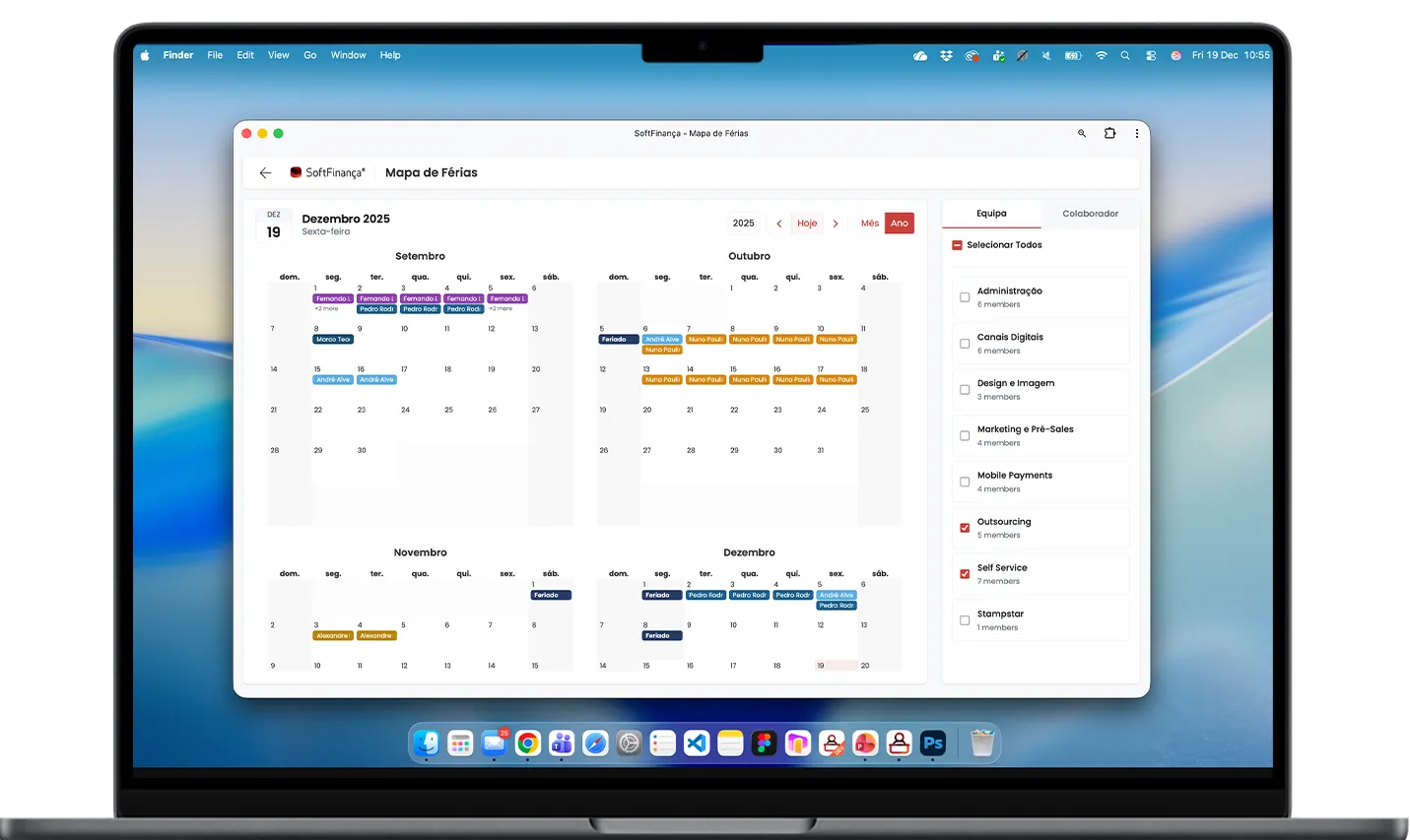
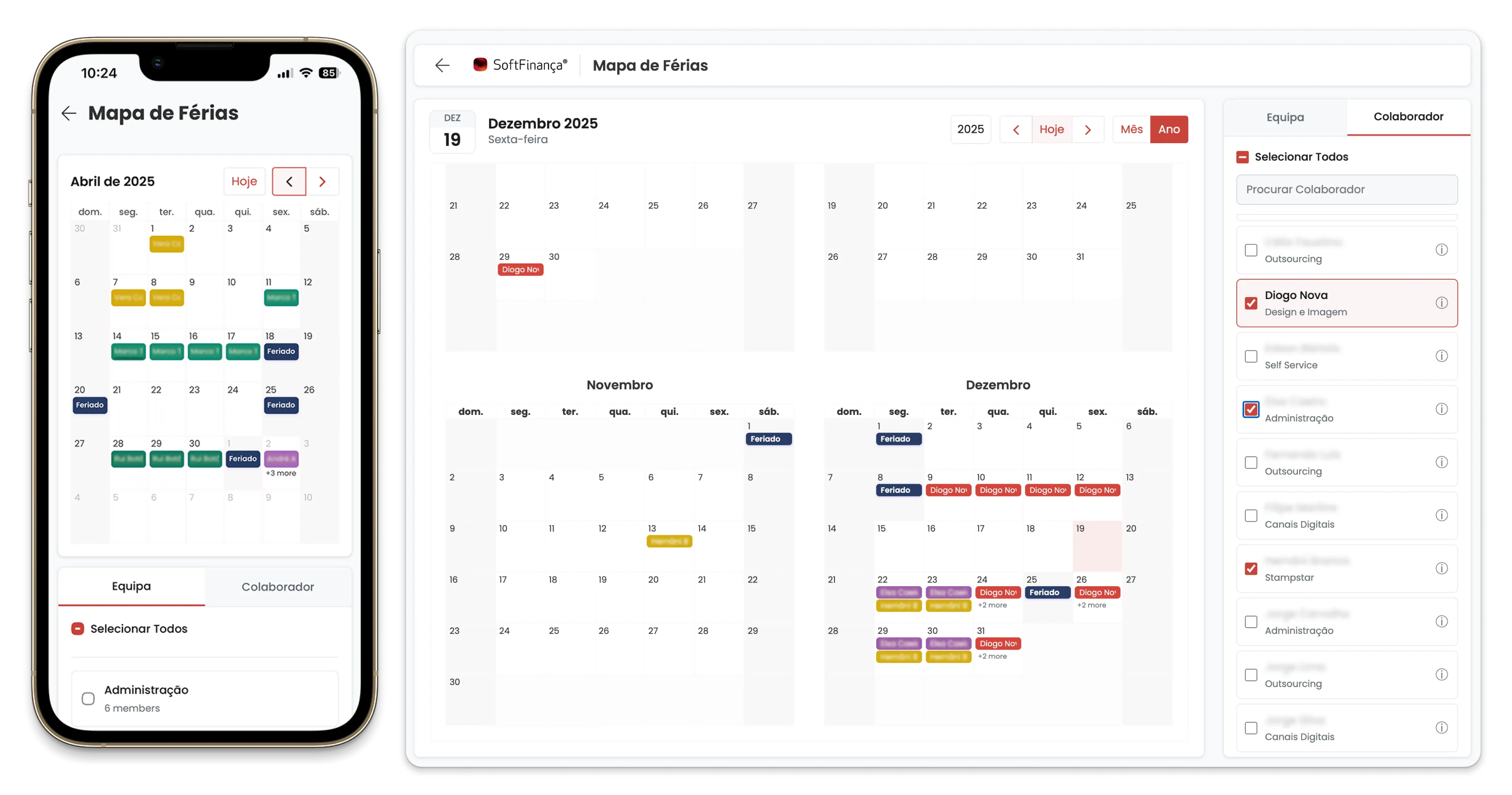
Book and view vacation time, and see teammates’ scheduled time off, by team or by individual colleague. Scheduled corporate events and internal training plans, in both list and calendar views.
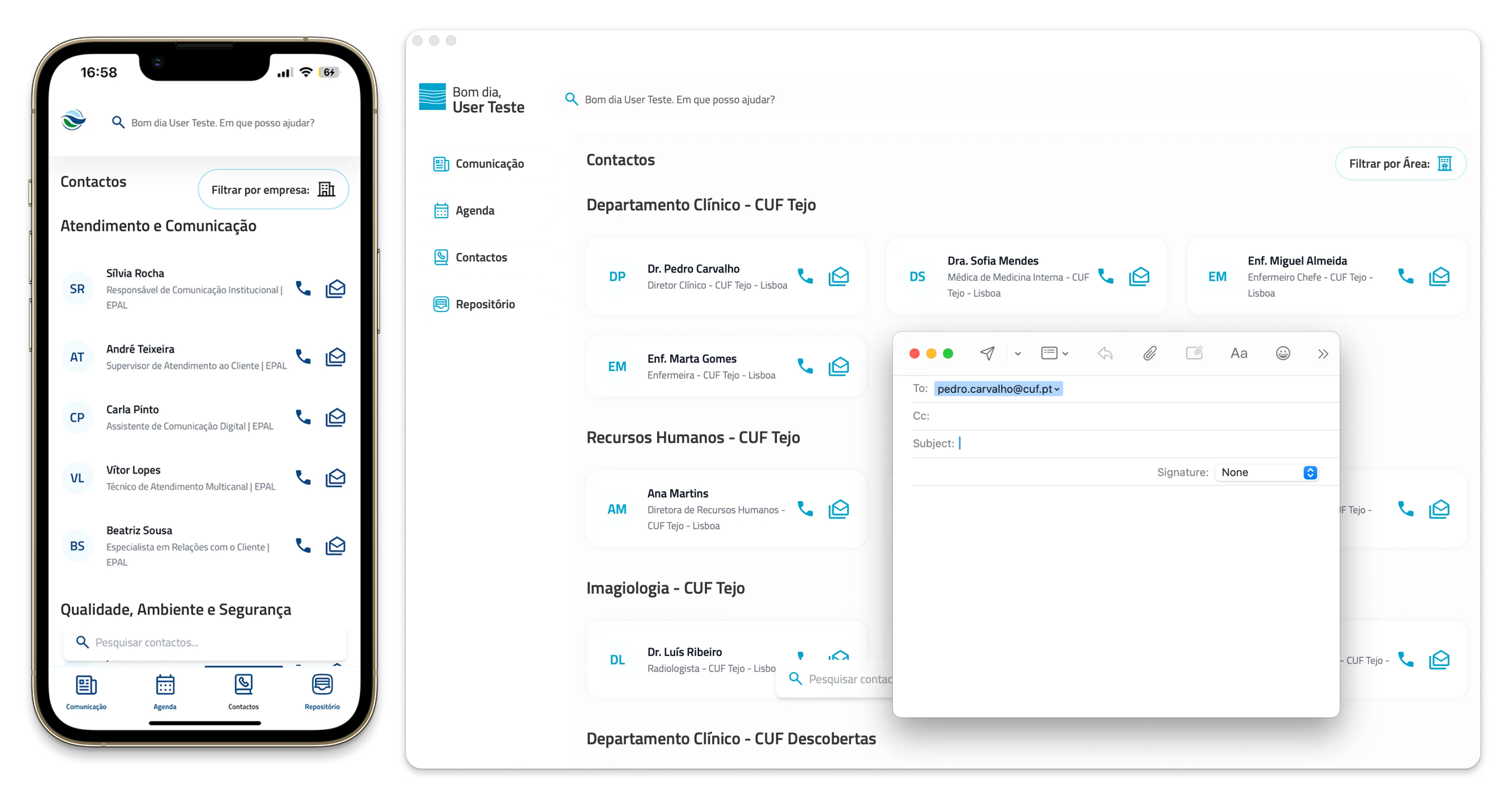
Contacts
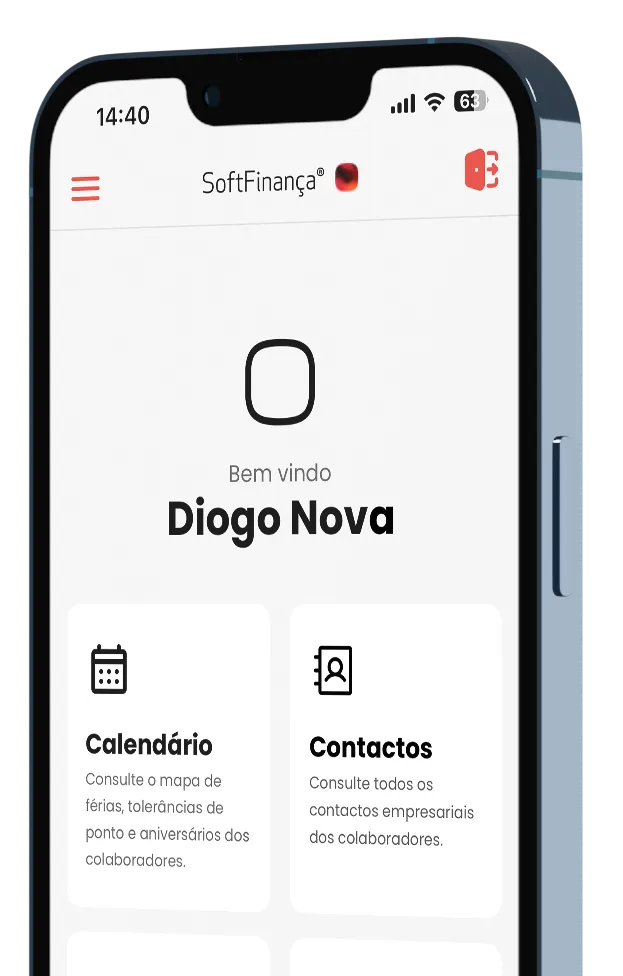
A searchable directory of every employee’s corporate contact details (phone, email, Teams and other channels), filterable by department.
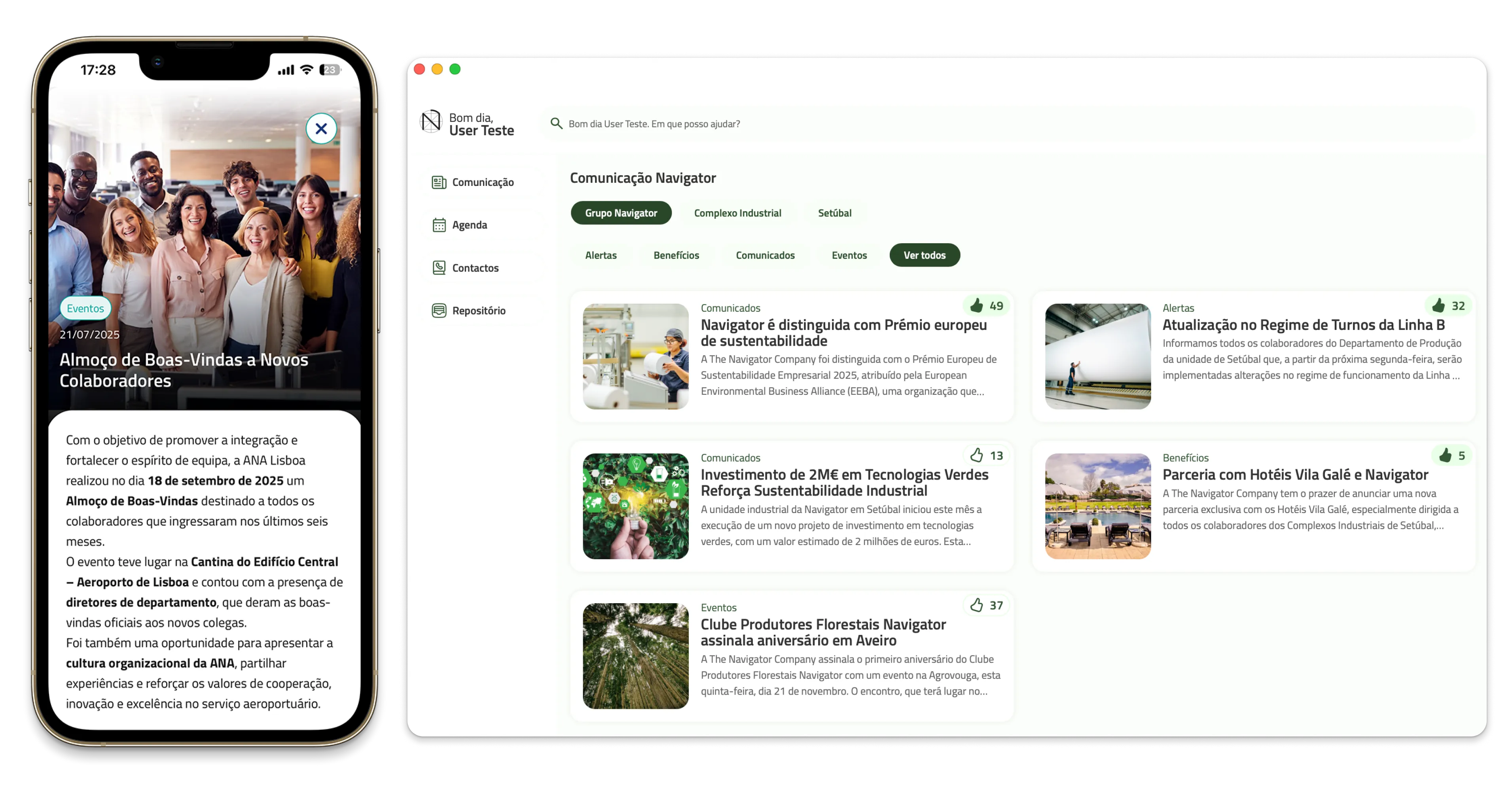
Communication / News
Targeted internal updates, alerts and benefits announcements, segmented by team, role or the whole company.
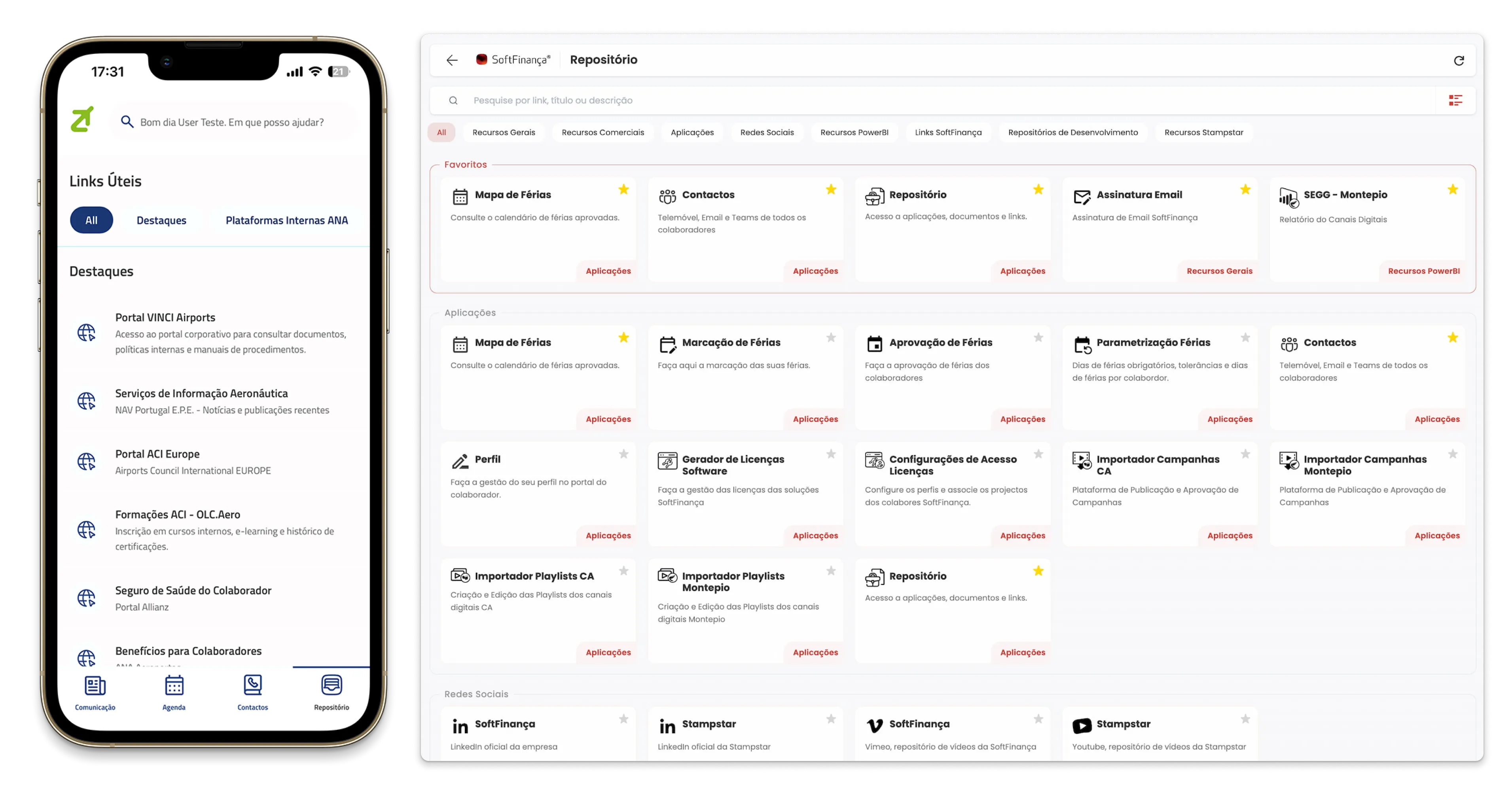
General Resources / Repository
Document and report templates, email signatures and other shared resources, aggregated by department. Users can build a personal list of favourited shortcuts to internal and external tools relevant to their role.
FAQ Chatbot
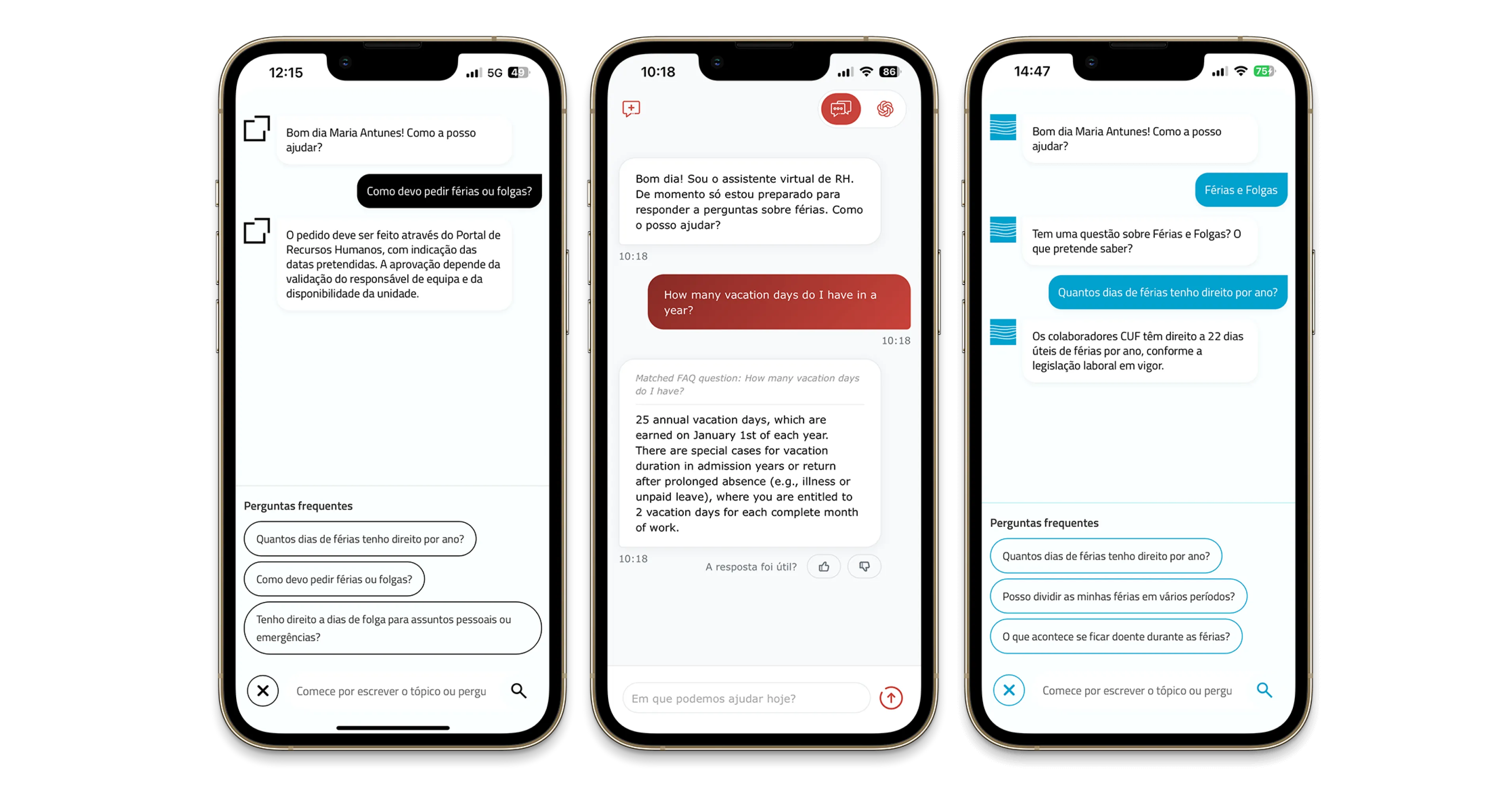
A conversational assistant that answers common questions about internal policies, such as vacation entitlements, without needing to open a ticket or email HR.